
_cyber protection. backup.
integrated in a single console.
An all-in-one, AI-powered cyber protection, backup, and endpoint management architecture engineered for enterprises and MSPs safeguarding mission-critical systems and data.
_why do we do it?
"Complete cyber resilience requires total integration."
Acronis replaces fragmented security, backup, disaster recovery, and patch management point solutions with a native all-in-one architecture. Deploy AI-driven EDR/XDR, Cloud Backup, DLP, and Email Security through a single lightweight agent and a unified multi-tenant cloud console backed by Bulutforce Data Center infrastructure.
Multi-tenant management, automated billing integrations, Turkish partner storage options, and certified 24/7 technical escalation.
Zero data loss with continuous data protection (CDP), full compliance with KVKK & ISO 27001, and flexible on-prem or hybrid storage topologies.
_1. Acronis Cyber Protect Cloud 🛡️
Cyber Security, Data Backup, and System Management in a Single Cloud Console
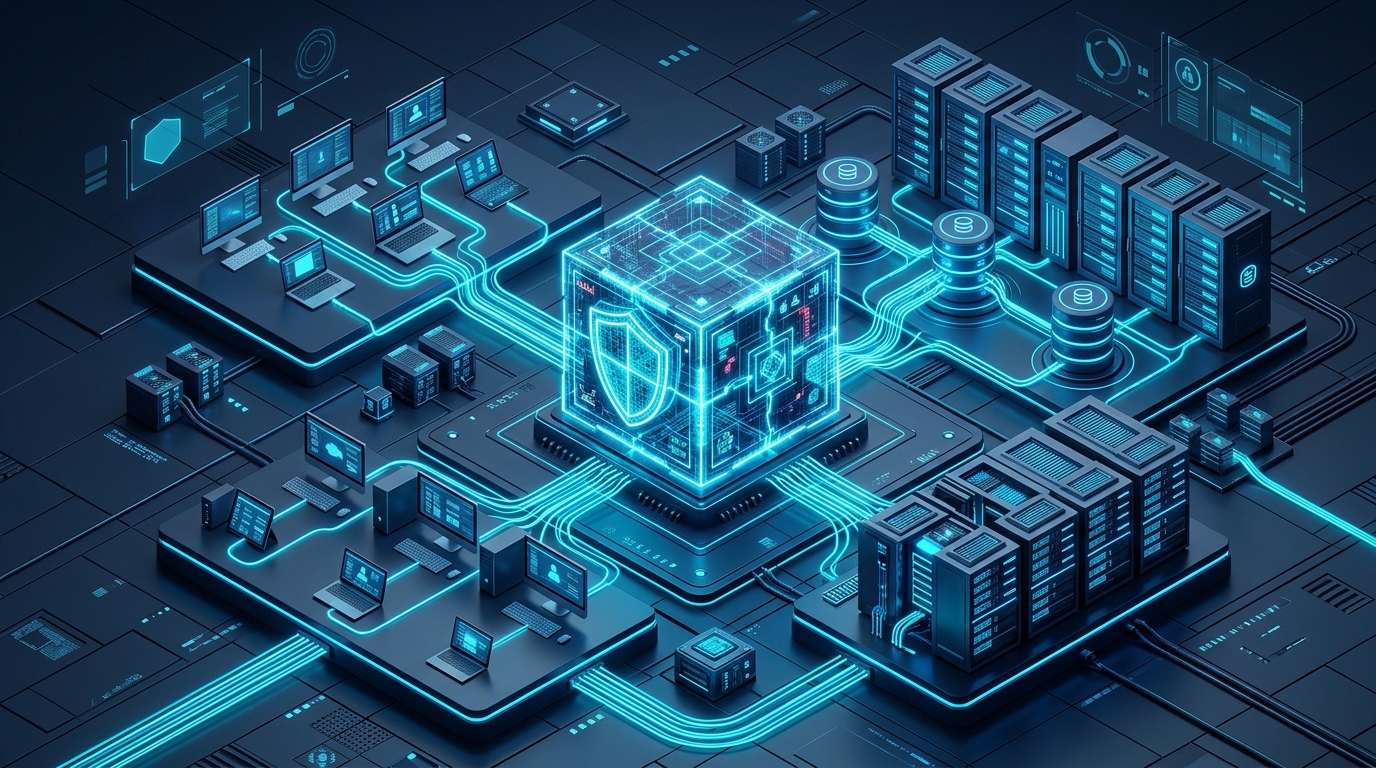
In traditional IT environments, separate software is used for antivirus, separate for backup, and separate for patch management and remote access. This situation both increases costs and creates security gaps due to incompatibility between software. Acronis Cyber Protect Cloud integrates all of these processes through a single agent and a single management console, raising your cyber resilience to the highest level.
🌟 Key Capabilities
- 🔒Integrated Cyber Security (Active Protection):Thanks to its artificial intelligence and behavioral analysis-driven engine, it instantly detects and blocks ransomware and zero-day threats. It automatically restores damaged files from backup.
- 🌟Uninterrupted Data Backup & Recovery:Backs up your servers, virtual machines, clients, and databases as full system images or file-based. It gets your systems up and running in seconds in the event of a disaster (Instant Restore).
- ⚙️Vulnerability Assessment and Automated Management:Detects security vulnerabilities in operating systems and more than 300 third-party software. It automates patch processes, narrowing the attack surface.
- 👁️Central Monitoring and Reporting:Control your entire company infrastructure, branch offices, and remote-working staff 24/7 from a single web interface.
🌟 Why is it the Right Choice for Your Business?
- Cost Advantage: Instead of allocating separate budgets for different security and backup licenses, lower your operational costs with a single platform.
- Zero Performance Loss: Instead of multiple programs that slow down computers and servers, ensure maximum performance with a single agent working lightly in the background.
- Bulutforce Assurance: Your data is always safe with Bulutforce's expert architectural consultancy, local data storage options, and 24/7 technical support.
💡 Call to Action:
Don't waste time with complex security software. Contact our experts to design a tailored Acronis Cyber Protect Cloud architecture for your business and start your 30-day free demo.
_2. Acronis Cyber Protect (On-Premises) 🏛️
Fully Controlled, Fully Protected Cyber Security and Image Backup on Your Local Network (On-Prem)
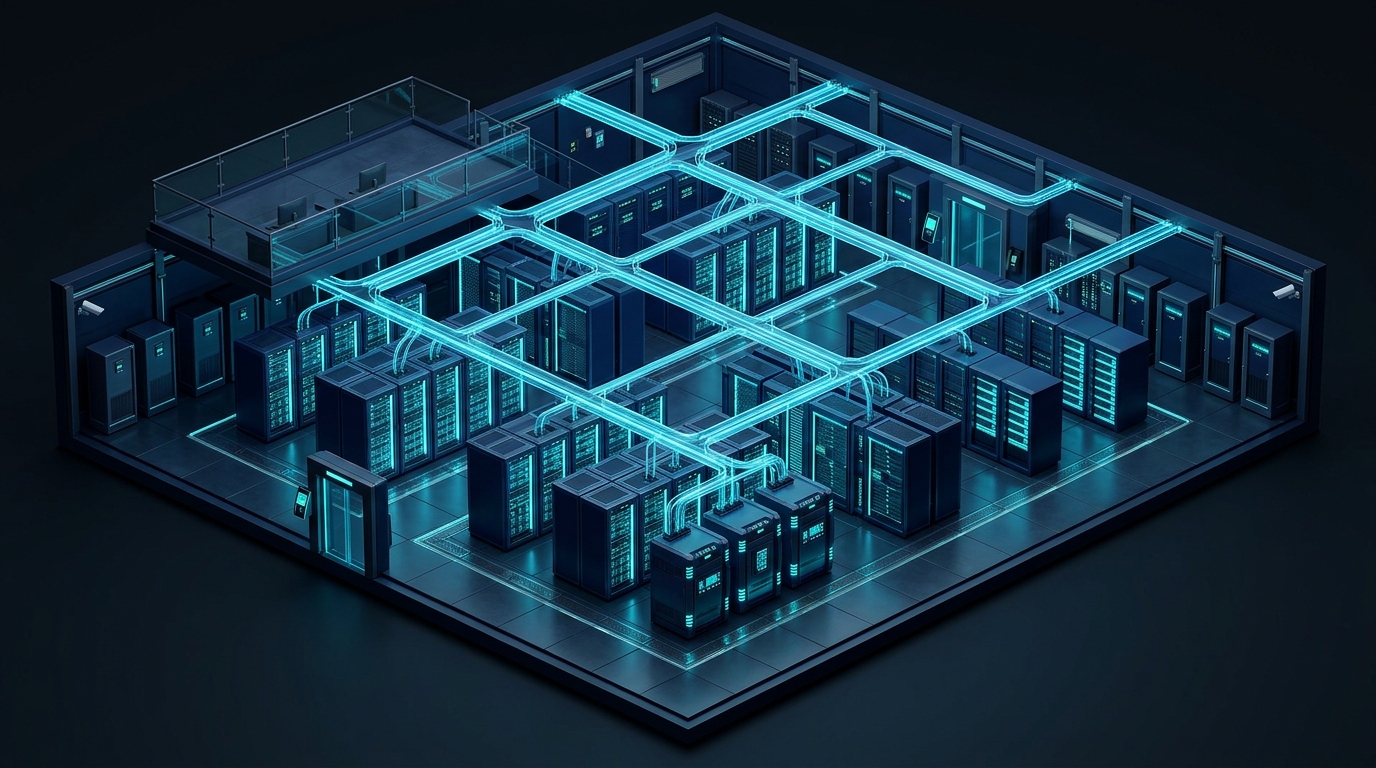
Although cloud architectures are becoming more widespread day by day, there are businesses that cannot export their data out of the institution or have to work in closed-loop (LAN) networks due to regulations (KVKK, BDDK, Presidency Digital Transformation Office Guide) or internal security policies.
Acronis Cyber Protect (On-Premises) allows you to install the entire management console and data storage units in your own data center, without the need for an external internet or cloud connection. It combines cyber security, full system backup, and vulnerability management on local servers under your complete control.
1. Temel Mimarisi ve Öne Çıkan Yetenekleri 🏛️
🔒 A. Internet-Independent (Air-Gapped) Cyber Protection
- Full Protection in Closed-Loop Networks: Works seamlessly in high-security environments like isolated industrial systems (SCADA/ICS), finance, or public networks without internet access.
- Active Protection (Local AI Engine): Instantly detects and stops ransomware and zero-day threats even in offline environments using the behavioral analysis engine running on the device.
- Self-Healing Data Structure: Instantly detects files attempted to be encrypted and automatically restores them from backup copies in the local cache.
🌟 B. Bare-Metal Recovery and Local Storage Architecture (Backup & Bare-Metal)
- Bare-Metal Recovery: Instantly installs a server with a crashed operating system or complete hardware failure onto a blank machine from the image in seconds, without installing from scratch, including the operating system, drivers, and applications.
- Broad Hardware and Storage Support: Works 100% integrated with your company's existing NAS, SAN, Tape backup units, and local storage areas (DAS).
- Flexible Platform Support: Backs up Windows Server, Linux (RHEL, Ubuntu, CentOS, etc.), VMware vSphere, Microsoft Hyper-V, Nutanix AHV, and KVM environments from a single center.
⚙️ C. Local Network Automation and Vulnerability Management
- Local Patch and Update Distribution: Downloads operating system and 3rd party software patches from the internet to a single main server and distributes them to the entire local network, closing security gaps without consuming bandwidth.
- Secure Drive Sanitization: Permanently deletes corporate data from storage units whose lifespan has expired or are no longer in use in accordance with international standards (DoD, NIST), preventing data leaks.
- HDD/SSD Health Prediction: Reports the hardware failure risks of your storage units in advance, allowing you to plan disk replacement before data loss occurs.
🌟 2. On-Premises and Bulut Modellerinin Karşılaştırması
| Feature | Acronis Cyber Protect Cloud | Acronis Cyber Protect (On-Premises) |
|---|---|---|
| Management Console | Acronis / Bulutforce Cloud | On-Premises Local Server |
| Internet Connection | Required | Not Required (Air-Gapped Compatible) |
| Data Storage Location | Cloud / Hybrid DC | Entirely On-Premises (NAS/SAN/Tape) |
| Licensing Model | Subscription (Pay-As-You-Go) | Perpetual Ownership or Annual Subscription |
| Regulatory Compliance | High (Cloud Flexibility) | Maximum (Those with Foreign/Cloud Ban) |
🌟 3. Hangi İşletme ve Yapılar İçin İdealdir?
- Defense Industry, Public and Financial Institutions: High-security structures where exporting data to any external cloud server is legally prohibited.
- Production Facilities and Factories (OT / SCADA): Industrial systems whose internet connections are cut off, managing production lines and having zero tolerance for downtime.
- Companies with Broad Local Storage Investment: Businesses that have already invested in high-capacity SAN/NAS and Tape units and want to keep their data in-house.
🌟 Bulutforce Mimarisi ve On-Prem Danışmanlığı
- Correct Hardware and Architecture Sizing: We size the server and storage architecture where the On-Premises console will be installed in the most optimum way according to your business's data volume.
- Installation and PoC (Test) Support: We perform all disaster scenarios and image restore tests together with our expert engineers before taking the product live on your local network.
- Regulatory Compliance Consultancy: We offer configuration support in accordance with KVKK and BDDK audits during the processes of storing and encrypting your data locally.
_3. Acronis Cyber Frame 📐
Tailored Cyber Resilience Architecture Built on Global Acronis Technology for Your Business
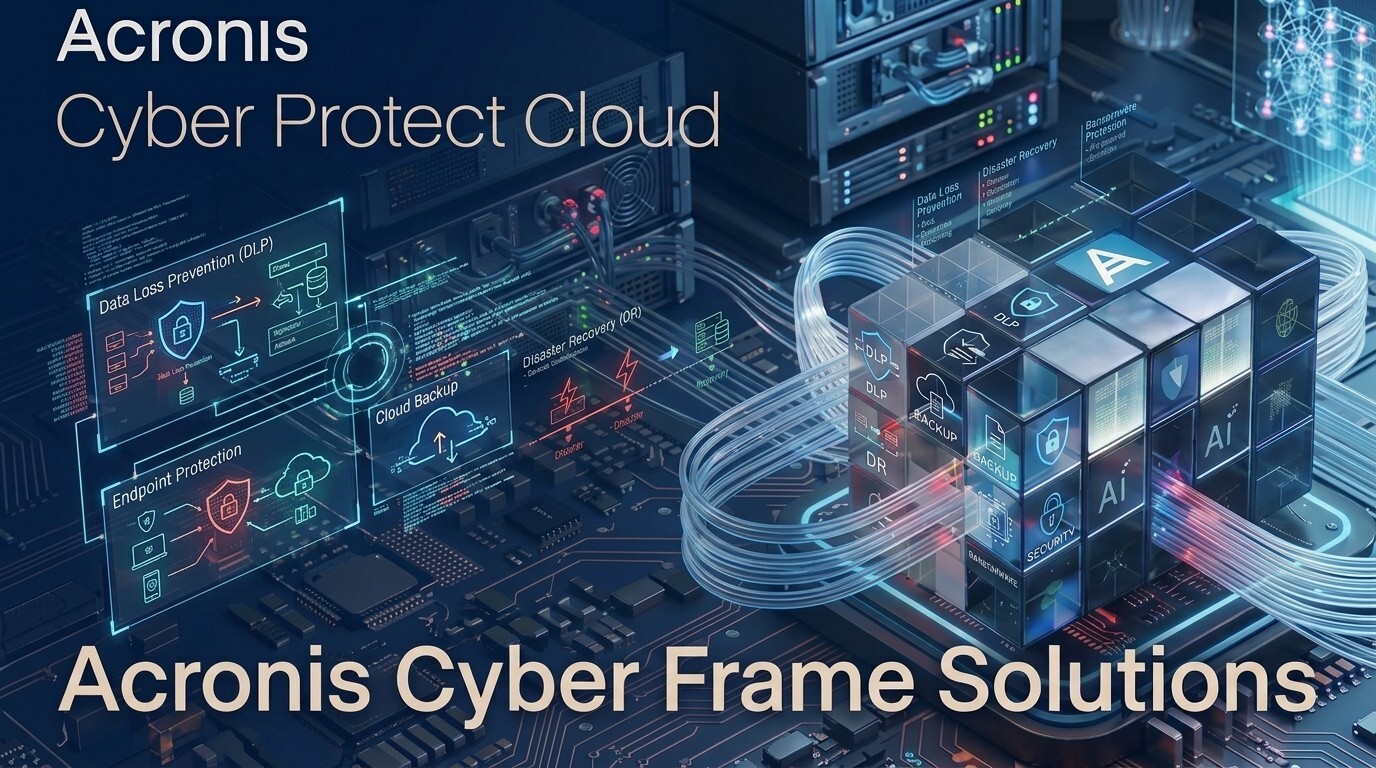
Ready-made packages and standard security recipes cannot meet the specific needs of every business. Different data sizes, complex network infrastructures, and strict legal regulations (KVKK, BDDK, Presidency Digital Transformation Office Guide) require a holistic cyber security and business continuity framework custom-designed for enterprises.
Acronis Cyber Frame is a strategic solution architecture that gathers the global cyber protection modules of the world giant Acronis (Backup, EDR/XDR, DLP, Email Security, RMM) under a single roof and is scaled specifically for your institution with Bulutforce expertise.
1. Mimarinin Yapı Taşları ve Esnek Katmanları 🏛️
🌟 A. Global Acronis Engine & Threat Intelligence
- World-Class Cyber Protection: The global threat intelligence (CPOC) and AI-powered protection engine of Singapore and Switzerland-based Acronis, which protects more than 500,000 institutions, forms the sub-architecture.
- Modular Integration: Only the security and backup components you need (Cyber Protect, EDR, Email Security, DLP, etc.) are included in the architecture like a jigsaw puzzle; you don't allocate budget to any feature you don't use.
🌟 B. Hybrid and Multi-Layer Storage Architecture
- Flexible Location Design: The flexibility to store your data either on your company's internal hardware (NAS/SAN/Tape), in Acronis's global data centers, or in the Bulutforce Data Center (Partner Storage) infrastructure located within Turkey's borders.
- Full Compliance with 3-2-1 Rule: Disaster Recovery scenarios are designed to keep 3 different copies of your data on 2 different media, and at least 1 copy in a different location (Bulutforce DC).
⚙️ C. Central Management and Policy Design
- Custom Security Policies: Access restrictions, data loss prevention rules, and backup periods suitable for your company's working model (Office, Hybrid, Field) are designed by Bulutforce engineers.
- Zero-Trust Compliant Configuration: A structural framework is offered where all endpoints, servers, and cloud applications in your network are constantly audited, and identity and authorization verification are performed.
🌟 2. Neden Standart Paket Değil de "Cyber Frame"?
| Feature | Standard Box / Package Software | Bulutforce Acronis Cyber Frame |
|---|---|---|
| Configuration | Fixed, non-flexible ready packages | Tailor-made design specific to your business's risk profile |
| Cost | Unnecessary budget paid for unused modules | Optimized cost with only needed components |
| Data Location | Limited storage options | Hybrid Storage (Local + Bulutforce DC + Global Cloud) |
| Technical Role | Delivery of license key only | Designing, installing, and 24/7 live monitoring of the architecture |
🌟 3. Hangi İşletme ve Yapılar İçin İdealdir?
- Structures Outside Standard Packages: Medium and large-scale institutions with complex server, virtual machine, and multi-branch infrastructure.
- Businesses Subject to Special Regulations: Companies whose data must remain in Turkey, be protected with special encryption keys, and pass KVKK/BDDK audits.
- Those Seeking Holistic Security & Business Continuity: Those who want to gather Backup, EDR, Email Security, and Patch Management under a single architecture with Master MSP assurance, instead of managing them from separate companies.
🌟 Bulutforce Katma Değeri ve Mimari Danışmanlık
- Phase 1 - Infrastructure Analysis (Assessment): Your company's current IT inventory, security vulnerabilities, and data volume are analyzed to outline the Cyber Frame.
- Phase 2 - Tailored Licensing and Storage: The correct Acronis modules are selected; storage quota integrated with Bulutforce Data Center is defined.
- Phase 3 - Implementation and 24/7 Uninterrupted Support: The architecture installation, test processes, and disaster scenarios are simulated and taken live. Direct local support is provided 24/7 with Bulutforce certified experts.
_4. Acronis Cloud Backup 💾
Critical Data Under Bulutforce Assurance and Instantly Accessible with World Giant's Cloud Technology
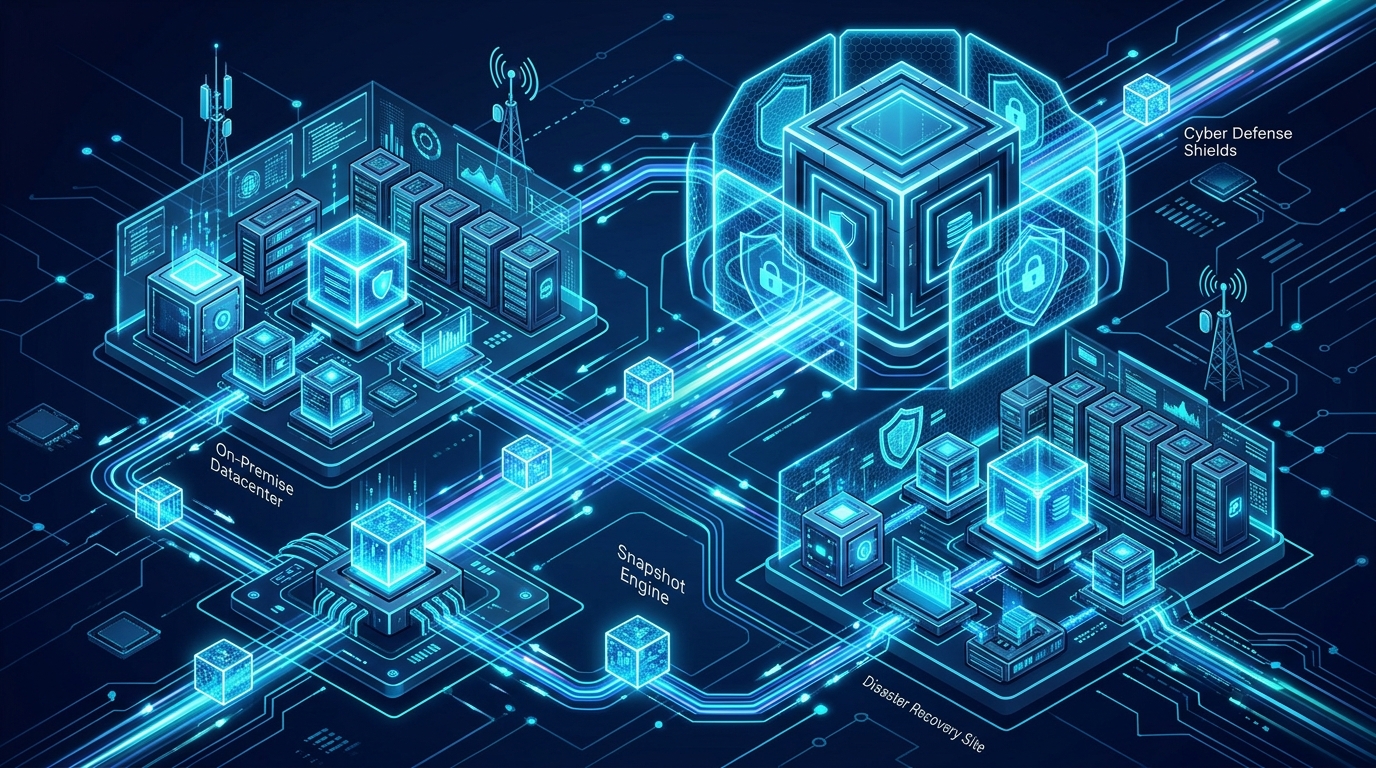
For businesses, data loss is not just a loss of information, it means direct reputation, time, and financial loss. The most solid line of defense against hardware failures, natural disasters, user errors, and siber attacks is backing up data in a secure and uninterrupted cloud infrastructure.
Acronis Cloud Backup combines the global Acronis backup engine, preferred by hundreds of thousands of institutions worldwide, with Bulutforce's high-security local data infrastructure and Master MSP expertise. It provides full assurance for your servers, virtual machines, and workstations against disasters.
1. Temel Mimarisi ve Öne Çıkan Yetenekleri 🏛️
🌟 A. Global Acronis Backup Engine & High Security
- End-to-End Encryption (AES-256): Your data is encrypted at the source before it even leaves your device. It is protected with the encryption key you determine during transfer (SSL/TLS) and storage.
- Smart Deduplication & Compression (Deduplication): Reduces backup size and bandwidth usage by up to 50% by filtering duplicate data and empty spaces, lowering your storage costs.
- Advanced Image and File Backup: Transfer either the full system image (Bare-Metal) of your physical/virtual servers or only your critical data folders to the cloud at flexible intervals.
🌟 B. Hybrid Storage Flexibility and Bulutforce DC
- Data Location Freedom: Store your data either in Acronis's global data centers (G1/G2) or in the Bulutforce Data Center (Partner Storage) infrastructure within Turkey.
- KVKK and Local Regulation Compliance: Bulutforce local data center integration provides full compliance for businesses that cannot export their data abroad due to legal regulations in Turkey.
- Instant Restore: When a physical server crashes or your disk burns, run the system image from the backup directly as a virtual machine in the cloud within seconds (reducing your RTO time to near zero).
⚙️ C. Flexible Licensing and Central Management
- Scalable Budget According to Need: Flexible cost advantage according to the growth rate of your business with either GB/TB-based (Pay-as-you-go) or fixed quota per device/server models.
- 24/7 Monitoring from Single Web Console: Monitor all branch, server, and user backups from a single web interface, and receive automatic success/failure reports.
🌟 2. Neden Standart Bulut Yedeklemesi Değil?
| Feature | Traditional Cloud Storage (Drive/Dropbox etc.) | Bulutforce Acronis Cloud Backup |
|---|---|---|
| Backup Scope | Only simple file/folder synchronization | Full System Image, Virtual Machine, Database, and File |
| Recovery Speed | Requirement to download files one by one | Return in seconds with Instant Restore |
| Cyber Protection | Passive storage (Malicious files are also backed up) | Active backup protected against ransomware |
| Local Support | Foreign ticket systems | Bulutforce 24/7 Engineering Support & Local DC Option |
🌟 3. Kimler İçin İdealdir?
- Institutions Managing Critical Servers and Databases: Businesses with zero tolerance for data loss and long-term system downtime.
- Companies with Dense Branch and Field Staff: Those who want to transfer backups of devices in different locations to the cloud from a single center, without straining the bandwidth.
- Structures Subject to Legal Regulations: Institutions obligated to store their data in Turkey's high-security Tier-III standard data center.
🌟 Bulutforce Katma Değeri ve Destek Yaklaşımı
- Data Sizing and Sizing Analysis: Your business's current data volume and daily change rate are analyzed to determine the most accurate storage quota.
- Test and Restore Simulations: We don't just take backups; we test how quickly your data can be restored in the event of a disaster with live simulations.
- 24/7 Technical Consultancy: You communicate directly with certified Bulutforce experts for installation, policy creation, and emergency interventions.
_5. Acronis Email Backup ✉️
Your Microsoft 365 and Google Workspace Data Under 100% Protection with Global Acronis Infrastructure and Bulutforce Assurance
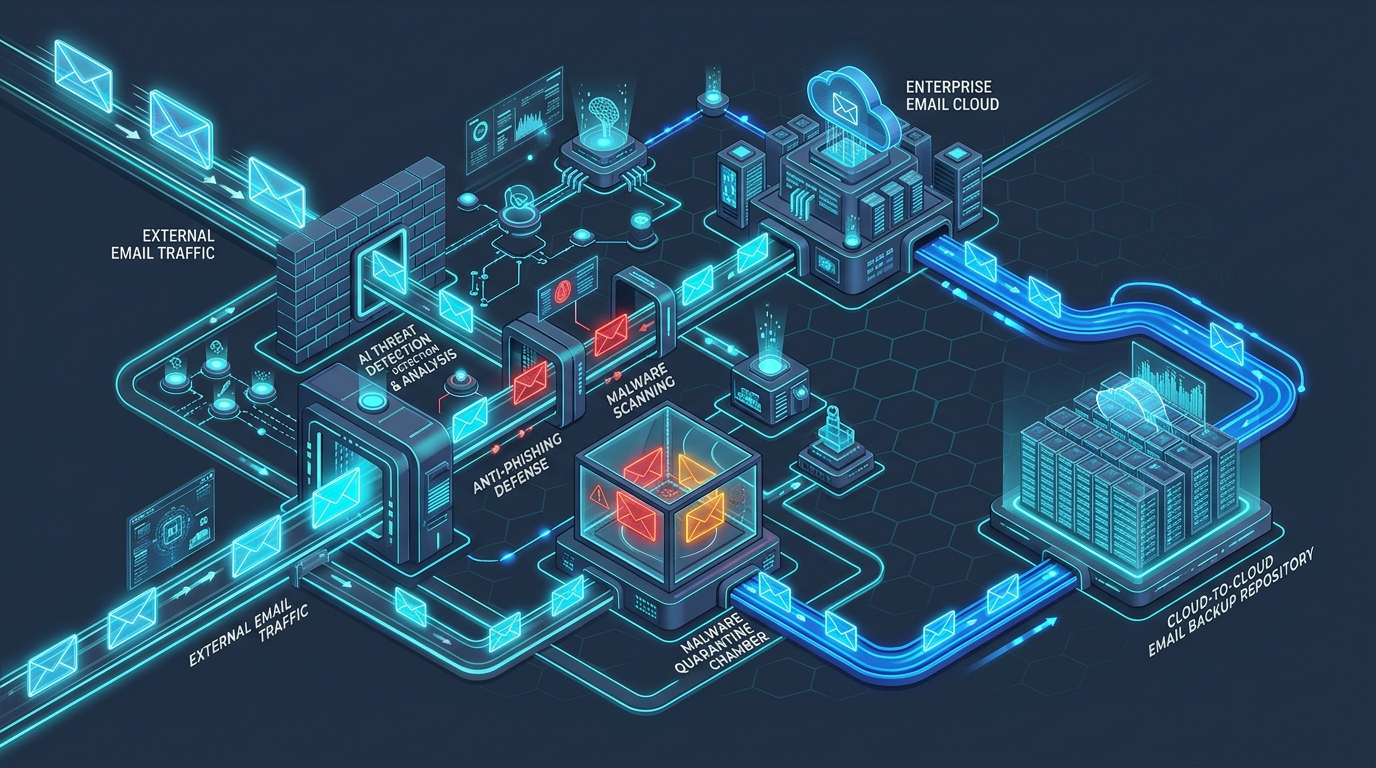
Many institutions assume their data is automatically backed up when they move to cloud platforms like Microsoft 365 or Google Workspace. However, cloud providers guarantee infrastructure continuity; they do not commit to recovering accidentally deleted emails, malicious employee interventions, or cloud files encrypted by ransomware.
Acronis Email Backup (Cloud-to-Cloud) completely eliminates the risk of data loss by backing up your Microsoft 365 and Google Workspace environments directly from cloud to cloud. It combines the world-leading Acronis engine with Bulutforce's Turkey-based data infrastructure and expert support.
1. Temel Mimarisi ve Öne Çıkan Yetenekleri 🏛️
🌟 A. Complete Cloud-to-Cloud (C2C) Backup Architecture
- Zero Server Cost (Agentless): You don't need to install any software (agent) on company computers or servers. Backup occurs directly between cloud providers (Microsoft/Google ➔ Acronis/Bulutforce), without straining the company internet.
- Full Cloud Ecosystem Scope:
- Microsoft 365: Outlook Mailboxes, OneDrive, SharePoint Online, Teams (Channels, Chats, and Attachments).
- Google Workspace: Gmail, Google Drive, Contacts, and Calendar.
- Automatic and Periodic Backup: Your new incoming/outgoing data is protected instantly with the automatic backup mechanism running up to 3 times a day.
🌟 B. Flexible Search, Granular Recovery and Storage Options
- Advanced Granular Recovery (Search-Find-Recover): Search and find a single email, attachment, or OneDrive file deleted years ago in seconds; download it directly to the user's mailbox or computer.
- Data Storage Freedom and KVKK Compliance: You can store your backed-up emails and documents either in Acronis's global cloud or in Bulutforce's local data center (Partner Storage) in Turkey in accordance with KVKK requirements.
- Encrypted Secure Storage (AES-256): All your cloud data is protected with the highest encryption standards during transfer and storage.
⚙️ C. Business Continuity and Ex-Employee Data Management
- Ex-Employee Archiving: Even if you cancel the Microsoft 365 / Google license of a person leaving the company, you can continue to store their past emails and files, accessing their data without paying new license fees.
- Point-in-Time Restore: When your mailbox is subjected to a cyber attack or encrypted, you can return all your emails to a point in time before the attack in seconds.
🌟 2. Neden Microsoft 365 / Google Kendi Yedeğini Tutmaz?
| Scenario / Threat | Cloud Provider's Standard Structure | Bulutforce Acronis Email Backup |
|---|---|---|
| Accidental Data Deletion by User | Trash bin permanently deletes data after 30 days | Instant recovery from backup for unlimited time |
| Malicious Employee Intervention | Can empty inboxes and clear the recycle bin | All past copies are safe in independent cloud |
| OneDrive / Drive Ransomware Attack | Synchronized malicious files corrupt the cloud copy | Return to clean backup image before the attack in seconds |
| Licensed Cancelled Departed Person | All emails deleted within 30 days after license cancellation | Data stored safely in archive without paying for license |
🌟 3. Kimler İçin İdealdir?
- All Companies Using Microsoft 365 and Google Workspace: Businesses of all sizes managing their corporate communication and critical documents in the cloud.
- Institutions Obligated to Keep Legal / Financial Archives: Law, finance, auditing, and production firms obligated to store email correspondence and contracts for years.
- Businesses Prioritizing KVKK Compliance: Structures that want to store cloud email data in a local data center within Turkey's borders.
🌟 Bulutforce Katma Değeri ve Kurulum Kolaylığı
- Taking Live in Minutes: We protect your Microsoft 365 or Google Workspace account in minutes via API integration, without requiring company-internal infrastructure investment.
- Unlimited Storage and Flexible Licensing: We offer predictable cost management with flexible licensing options per mailbox (user).
- 24/7 Engineering and Recovery Support: Bulutforce team stands right by you in case of a potential data loss or urgent email search need.
_6. Acronis Email Security 🔒
Cyber Protection Beyond Email Gateway Standards, Powered by Perception Point Technology
More than 90% of cyber attacks start via email. Advanced threats like phishing, malicious attachments, fake invoices, and CEO fraud (BEC) can easily bypass classic antivirus engines and default cloud email security layers (Microsoft 365 / Google Workspace).
Acronis Email Security integrates Perception Point engine, one of the most respected technologies in the cyber security world, into the global Acronis infrastructure. Your emails are analyzed in seconds before they drop into your inbox, blocking even the most complex and zero-day threats instantly.
1. Temel Mimarisi ve İleri Seviye Koruma Katmanları 🏛️
🌟 A. Perception Point Powered Instant Analysis Engine
- Advanced Sandbox (Dynamic Scanning): Analyzes files and URL links in email attachments by running them in a virtual environment (Sandbox) in seconds to check if they exhibit malicious behavior.
- AI-Powered BEC Detection: Instantly exposes fake emails masquerading as company executives or suppliers (Impersonation) through natural language processing (NLP) and sender reputation analysis.
- Zero-Day Protection: Detects malicious codes and exploit attempts created for the first time, not yet in signature databases, at the hardware level.
🌟 B. Lightning Fast Detection and Workflow
- Scanning in Seconds (1-10 Seconds): While traditional protection solutions keep emails waiting for minutes, Acronis Email Security completes the scan without causing any latency in the email flow.
- Full Integration with All Cloud Platforms: Integrates with Microsoft 365, Google Workspace, and on-premises Exchange servers in minutes via API-based or MX record redirection.
- Visual Phishing Blocking: Detects fake login pages imitating well-known brands (banks, cargo firms, Microsoft, etc.) by visually analyzing the page.
⚙️ C. Central Monitoring and Response Architecture
- Automatic Quarantine and Management: Emails containing threats are directly quarantined; detailed reports are presented to managers and users.
- User Awareness Warning: Dynamic warning labels are added to the top of emails that seem suspicious but do not fall into the absolute malicious category, increasing employee awareness.
🌟 2. Neden Varsayılan Güvenlik (M365 / Google) Yeterli Değil?
| Threat Type | Default Cloud Email Security | Bulutforce Acronis Email Security |
|---|---|---|
| Zero-Day Attacks | Focuses only on known signatures, might miss | Blocks in seconds with Perception Point Sandbox |
| Visual Phishing | Only checks the URL link | Detects fake login pages instantly through visual AI analysis |
| BEC / Fake Invoice Attacks | Does not get caught in text-based simple rules | Catches sender impersonation with NLP and behavioral analysis |
| Scanning Speed & Latency | Long waits in email delivery | Zero-latency scanning between 1-10 seconds |
🌟 3. Kimler İçin İdealdir?
- Companies with Dense Email Traffic: Businesses whose daily operations, bids, and billing processes are conducted entirely via email.
- Finance, Procurement and Production Sector: Institutions with a high risk of financial loss due to invoice fraud (BEC) and fake IBAN modifications.
- Institutions Using Microsoft 365 and Google Workspace: Structures that want to reinforce the default protection layer with a global cyber security armor.
🌟 Bulutforce Katma Değeri ve Kurulum Süreci
- API-Based Installation in Minutes: We protect your email system in minutes via API integration without changing your MX records.
- Threat Analysis and Response: Bulutforce engineers continuously monitor quarantined critical emails and attack trends to develop custom security policies for your institution.
- 24/7 Technical Consultancy: You receive support directly from our expert team in examining suspicious emails and quarantine processes.
_7. Acronis EDR (Endpoint Detection & Response) 👁️
Understand Insidious Threats Automatically, Detect Attacks at the Source and Isolate Your Devices Instantly
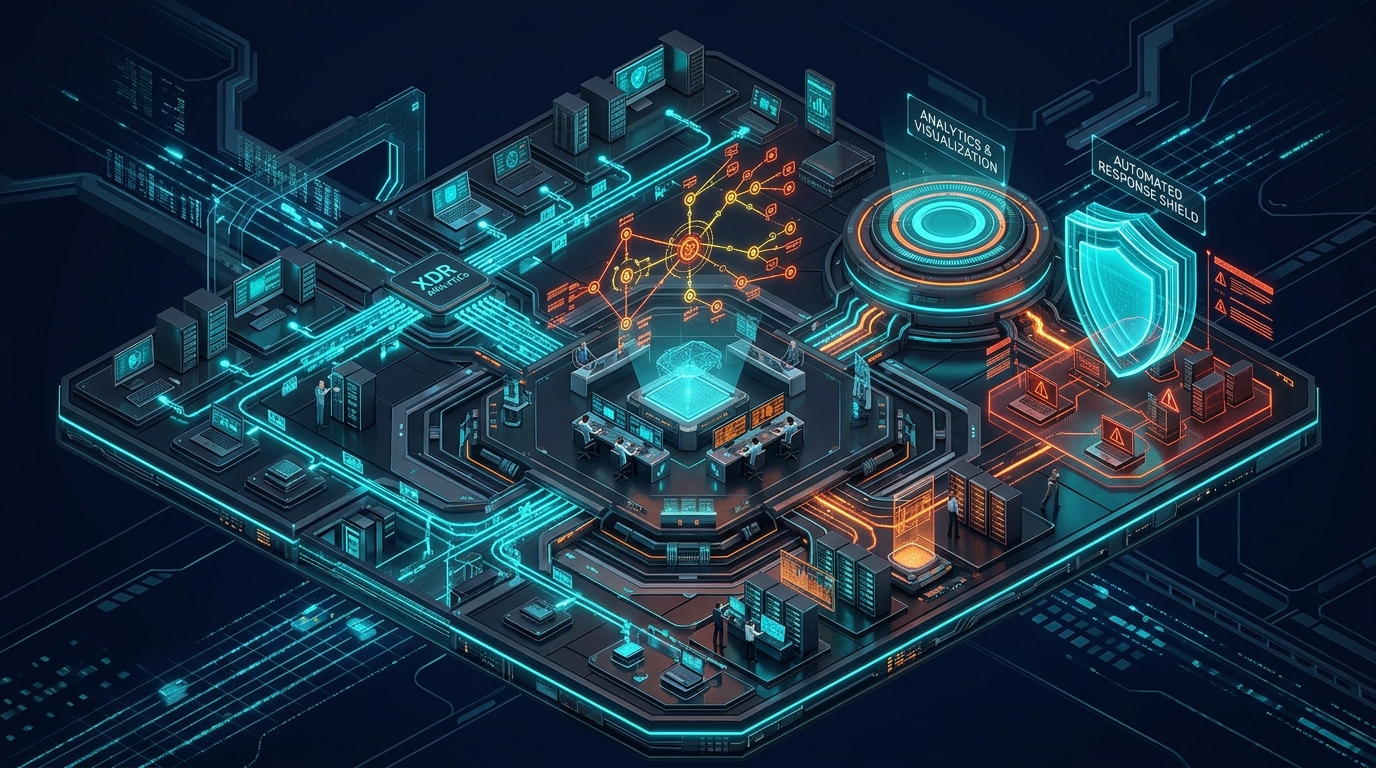
Classic antivirus software only scans for known threat signatures; however, today's complex cyber attacks (APT, Ransomware, Zero-Day Attacks) proceed without leaving any trace on the system or hiding behind legitimate software. Monitoring suspicious movements at the device level instantly and finding the root cause of the attack is an inevitable requirement.
Acronis EDR combines the AI-powered behavioral analysis power of the global Acronis infrastructure with Bulutforce's Master MSP expertise and 24/7 monitoring support. It simplifies complex siber security operations, resolving attacks at the source before they spread.
1. Temel Mimarisi ve Öne Çıkan Yetenekleri 🏛️
🌟 A. Automatic Root Cause Analysis (RCA)
- Visualizing the Attack Chain: Presents from which email, website, or USB flash drive the attack started, and what processes it triggered in the system, through an easy-to-understand graphic diagram.
- Mapping in MITRE ATT&CK® Standards: Classifies the tactics and techniques used by attackers according to the international MITRE ATT&CK framework, revealing your cyber security status clearly.
- GenAI-Powered Incident Summary: Summarizes complex technical codes and logs in a plain language that anyone can understand with the help of artificial intelligence.
🌟 B. Instant Response, Isolation and Automatic Remediation
- Single-Click Device Isolation: Instantly isolates a computer or server showing suspicious behavior from the network with a single click, preventing the malicious software from spreading to other company devices.
- Automatic Rollback: Restores system files damaged or attempted to be encrypted during the attack to their clean state before the attack in a single move.
- Remote Response and Investigation: Allows cyber security experts to connect to the affected device securely from remote to perform detailed forensics.
⚙️ C. Light Agent Architecture and Integrated Structure
- Zero Performance Loss (Single Agent): Runs Backup, Antivirus, and EDR processes through a single light agent; does not cause stuttering or slowdown in computers.
- Continuous Behavioral Monitoring: Analyzes process execution, registry changes, and network connections on devices 24/7 uninterrupted.
🌟 2. Neden Klasik Antivirüs (EPP) Yeterli Değil?
| Feature / Scenario | Traditional Antivirus (EPP) | Bulutforce Acronis EDR |
|---|---|---|
| Threat Detection | Catches only known signatures and files | Detects unknown, signatureless and insidious behaviors |
| Attack Source | Only deletes the malicious file, does not show the source | Maps the attack chain with Root Cause Analysis (RCA) |
| Response Capability | Limited to passive quarantine | Isolates the device from the network and performs automatic Rollback |
| System Load | Extra EDR software slows down the system | Minimum resource consumption with Single Agent |
🌟 3. Kimler İçin İdealdir?
- Companies with Critical Data and Server Infrastructure: Institutions that want to know not only how the attack was blocked but also how it occurred and take precautions.
- KVKK, BDDK and ISO 27001 Compliant Structures: Businesses obligated to document cyber incident response processes and submit forensic analysis reports.
- Institutions with Large Device Fleet: IT teams that want to monitor the computers of center, branch, and field workers 24/7 from a single center.
🌟 Bulutforce Katma Değeri ve Analiz Desteği
- Correct Policy Configuration: We optimize Acronis EDR rules according to your company's working structure, reducing false-positives to zero.
- Cyber Incident Investigation Consultancy: When a threat is detected, Bulutforce cyber security experts analyze the root cause analysis with you and take necessary security precautions.
- 24/7 Engineering Support: You receive support directly from our authorized engineers during critical device isolation and system recovery processes.
_8. Acronis XDR (Extended Detection & Response) ⚡
Cross-Threat Hunting and Holistic Cyber Security Architecture on Device, Email, Identity, and Cloud Layers
Cyber attacks no longer focus on a single point (just the computer or just the email). Attackers usually penetrate the system with a stolen email password, escalate privileges in cloud applications, and encrypt data on servers in the final stage. Monitoring only a single layer by security solutions makes it impossible to see the attack as a whole.
Acronis XDR gathers data from devices (Endpoints), emails, user identities (Identity), and cloud workloads in a single center. It combines global Acronis threat intelligence with Bulutforce's Master MSP power, neutralizing complex and multi-layered siber attacks at the very beginning.
1. Temel Mimarisi ve Öne Çıkan Yetenekleri 🏛️
🌟 A. Cross-Domain Correlation
- Holistic Threat Visibility: Combines alerts coming from different sources (M365, Email Gateway, Servers, User Computers) under a single incident.
- Advanced AI & GenAI Analysis: Interprets hundreds of complex log data and security alerts; maps the route followed by the attacker from end to end.
- Extended Attack Surface Protection: Protects your endpoints as well as your cloud storage areas, email traffic, and Active Directory / Entra ID identity structures simultaneously.
🌟 B. Automated Multi-Layer Response (Playbooks)
- Single-Click or Automatic Broad Response: When an attack is detected; deletes the suspicious email from all users' boxes, suspends the affected user account, and isolates the related device from the network.
- Central Root Cause Analysis: Offers the root cause of the attack (with which email it started, through which user identity privilege escalation occurred, and which server was affected) on a single visual diagram.
- Proactive Threat Hunting: Exposes hidden threats waiting quietly in the system or infiltrated without leaving a trace by comparing them with the global threat database.
⚙️ C. Holistic Management from Single Panel
- End of Silo Security Chaos: Instead of getting lost between different brands' EDR, Email Security, and Cloud Security panels, manage the entire siber security operation from a single Acronis / Bulutforce panel.
- Low Operational Load: Filters false-positives with artificial intelligence, ensuring your IT teams and security experts focus only on real threats.
🌟 2. EDR ve XDR Arasındaki Fark Nedir?
| Feature / Scope | Acronis EDR | Acronis XDR |
|---|---|---|
| Monitoring Area | Endpoints Only (PC, Server) | PC, Server, Email, Identity, and Cloud Workloads |
| Attack Detection | Suspicious movements on the device | Multi-layered cross-correlation (Correlation) |
| Response Power | Isolating device from network and Rollback | Suspending accounts, deleting emails, and device isolation |
| Target Audience | Institutions wanting basic device security | Advanced structures with wide attack surface |
🌟 3. Kimler İçin İdealdir?
- Institutions with Wide and Complex IT Architecture: Companies with multiple branches, cloud services (M365/Google), and hybrid server infrastructure.
- Finance, Energy and Retail Sector: Critical sectors where the siber attack surface is wide and a single security vulnerability can lead to a chain disaster.
- Those Seeking to Lighten SOC Load: Businesses aiming for security teams to protect the entire company from a single smart panel instead of looking at hundreds of different screens.
🌟 Bulutforce Katma Değeri ve SOC Mimarisi
- XDR Policy and Playbook Configuration: We configure automatic response scenarios (Playbooks) that will not disrupt your company's workflows together with our expert engineers.
- 24/7 Threat Hunting Support: Our certified cyber security experts continuously monitor complex incidents falling into your XDR panel and present analysis reports.
- Integrated Infrastructure Integration: We integrate your M365, email, and server infrastructures into the Acronis XDR architecture with zero downtime.
_9. Acronis DLP (Data Loss Prevention) 🛑
Protect Your Sensitive Corporate Data and Commercial Secrets from Leaking Outside the Company
One of the biggest security risks for businesses is data leaks. Employees exporting sensitive data, financial tables, source codes, or commercial secrets belonging to customers outside the company, either accidentally or maliciously; leads to both serious loss of prestige and high financial penalties under KVKK/GDPR.
Acronis DLP prevents sensitive information from falling into unauthorized hands by monitoring user behavior and data movements on the device level instantly. It combines global Acronis technology with Bulutforce's regulatory and architectural consultancy, taking your corporate memory under full protection.
1. Temel Mimarisi ve Öne Çıkan Yetenekleri 🏛️
🌟 A. Automatic Data Classification and Content Analysis
- Sensitive Data Detection (Content Awareness): Automatically classifies critical data such as Turkish ID Numbers, Credit Card Info (PCI-DSS), Customer Lists, Contracts, and Company-internal special codes.
- Advanced OCR (Optical Character Recognition): Detects and prevents the leak of sensitive texts even within scanned documents, PDFs, or screenshots.
- User Context and Behavior Analysis: Monitors 24/7 which user accessed which data, and where they tried to move or copy the file.
🌟 B. Channel-Based Output and Transfer Prevention
- Peripherals and USB Control: Blocks unauthorized USB flash drives, external disks, or portable devices from connecting to company computers and transferring data.
- Web and Cloud Sharing Restriction: Blocks uploading files to unapproved cloud services like personal Gmail/Hotmail accounts, WeTransfer, Dropbox, or Google Drive.
- Application and Network Output Prevention: Stops data output via instant messaging applications like WhatsApp Web, Telegram, Skype, and email attachments.
⚙️ C. Flexible Policy Management and Transparent Work
- User-Friendly Protections: Flexible rules (policies) are defined that block only risky transactions, without locking company-internal legitimate workflows.
- User Warning and Justification Request: When a suspicious share is attempted, an instant warning window is displayed to the user to block the transaction or request a justification statement for the action.
- Forensic Investigation and Reporting (Audit Logs): Documents potential data breach attempts with detailed logs and screenshots, presenting them as evidence in regulatory audits.
🌟 2. Neden Bütünleşik Acronis DLP?
| Feature / Approach | Traditional Standalone DLP Software | Bulutforce Acronis DLP |
|---|---|---|
| Installation & Integration | Complex configuration and high cost lasting months | Fast and integrated structure activated in seconds |
| System Load | Heavy agents that slow down computers excessively | Single Agent working with Backup and Security |
| Regulatory Compliance | Offers only technical blocking | Policy templates fully compliant with KVKK / GDPR standards |
| Cost | Requirement for separate licensing and server infrastructure | Optimized budget with integrated platform |
🌟 3. Kimler İçin İdealdir?
- Institutions in KVKK and GDPR Compliance Process: All businesses legally obligated to protect customer data, employee information, and personal data.
- R&D, Production and Software Companies: Structures wanting to protect source codes, product designs, recipes, and patented technologies.
- Finance, Health and Law Sector: Institutions preventing critical documents like customer secrets, medical records, and lawsuit files from leaking outside.
🌟 Bulutforce Katma Değeri ve Mevzuat Danışmanlığı
- DLP Policy Design: We design department-based (Finance, HR, R&D, etc.) blocking and permission rules together by mapping your company's data path.
- Noise-Free (False-Positive Free) Configuration: We establish sensitive balances that will not disrupt your workflows, preventing false blocks.
- 24/7 Engineering and Compliance Support: We stand by you with our certified experts in data breach alerts and regulatory compliance audits.
_10. Acronis RMM & Patch Management ⚙️
All Your Hardware, Software, and Security Patches Under Control from a Single Panel
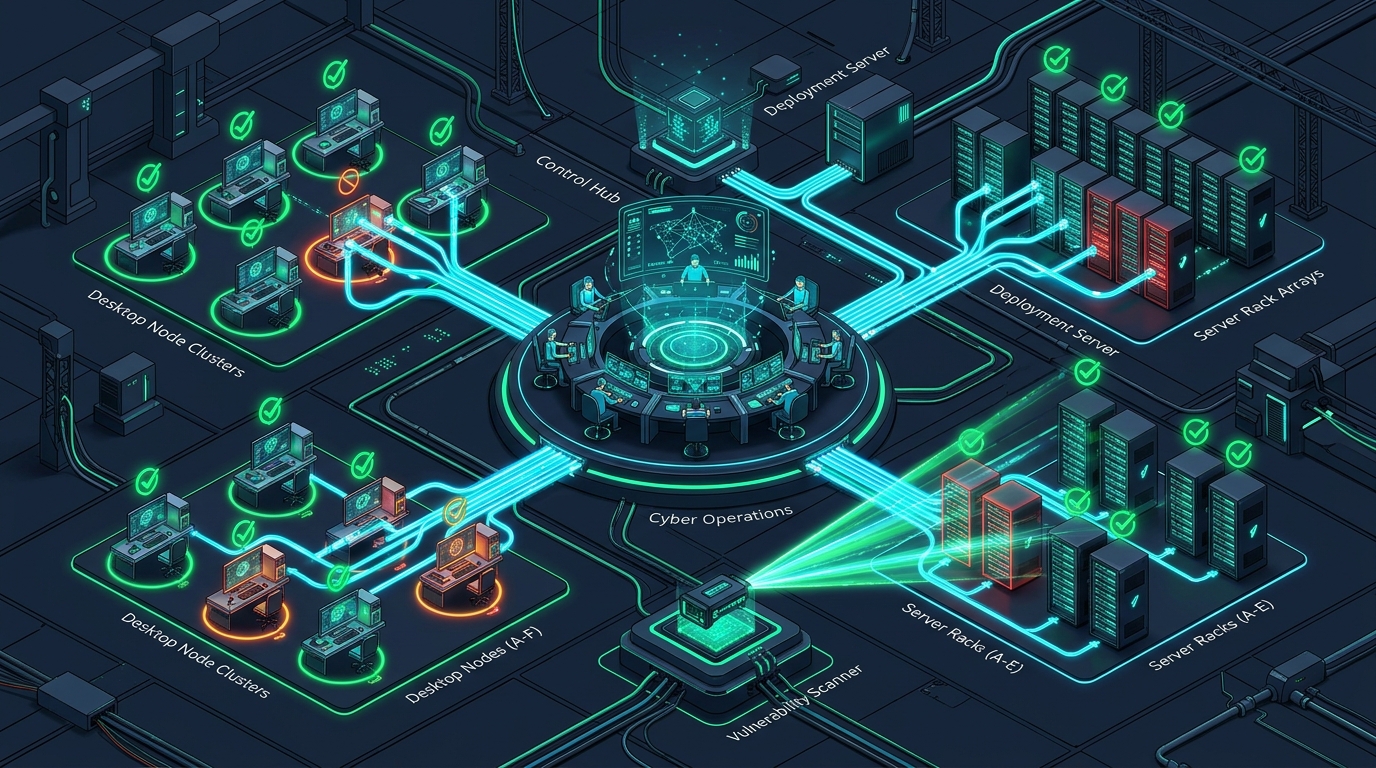
A major portion of cyber attacks stem from known security vulnerabilities not patched in time in operating systems and 3rd party applications used (Chrome, Adobe, Zoom, etc.). However, tracking updates of tens or hundreds of computers and servers manually turns into an impossible operational load for IT teams.
Acronis RMM & Patch Management combines remote monitoring, management, and automatic patching capabilities in the global Acronis architecture. It automates the maintenance of your IT infrastructure with Bulutforce's Master MSP expertise, closing security gaps before attackers do.
1. Temel Mimarisi ve Öne Çıkan Yetenekleri 🏛️
🌟 A. Automated Patch and Vulnerability Management
- More than 300 Software Support: Automatically detects security updates for Windows, macOS, and more than 300 of the most commonly used 3rd party applications (Adobe, Chrome, Firefox, Zoom, WinRAR, etc.).
- Flexible Patch Distribution Policies: Calendars and priority rules are configured to ensure updates are performed outside working hours or without disturbing the user.
- Tested Patch Security: Updates are tested beforehand to prevent system lockups or conflicts, avoiding risk of business interruption on critical servers.
🌟 B. Remote Monitoring and Management (RMM)
- Instant Hardware and Software Inventory: Monitors CPU, RAM, disk status, license information, and installed software of all servers, PCs, and laptops in the company network 24/7.
- HDD/SSD Health Prediction (AI): Reports the risk of disks failing in advance, allowing proactive measures to be taken before data loss occurs.
- Secure Remote Desktop Connection: Allows secure remote support to be provided to devices with a single click, without allocating budget to an extra remote connection software (TeamViewer, Anydesk, etc.).
⚙️ C. Automation and Performance Improvement
- Automatic Scripts: Runs routine IT tasks (disk cleaning, service restart, software deployment) in the background with automatic scripts.
- Performance Warnings and Alarm Management: Excessive CPU/RAM usage, disk fullness, or stopped critical services are immediately reported to IT managers as alarms.
🌟 2. Neden Bütünleşik RMM ve Patch Yönetimi?
| Feature / Approach | Traditional Separate IT Management Software | Bulutforce Acronis RMM & Patch |
|---|---|---|
| Software and Agent Clutter | Separate agent for RMM, separate for Remote Connection | Single Agent integrated with Backup and Security |
| Patch Scope | Usually updates only the operating system | OS + Support for more than 300 3rd Party Software |
| System Impact | High bandwidth consumption on the network | Compressed and optimized local distribution architecture |
| Maliyet | Expensive tools licensed separately | Optimized budget with integrated platform |
🌟 3. Kimler İçin İdealdir?
- Those Seeking to Lighten IT Team's Operational Load: All institutions wanting to automate update and inventory tracking that takes hours.
- Companies with Multiple Branches and Remote Workers: Structures wanting to control update and security status of field staff and branch computers from the center.
- Institutions Subject to ISO 27001 and Cyber Security Standards: Businesses obligated to present that systems are kept up to date, patch history, and vulnerability scan reports to auditors.
🌟 Bulutforce Katma Değeri ve Otomasyon Desteği
- System-Specific Patch Policies: We design patch transition scenarios suitable for separate risk levels for servers and user devices.
- Vulnerability Scanning and Reporting: We regularly scan security vulnerabilities in your infrastructure and prepare corporate reports to be presented to management boards.
- 24/7 Uninterrupted Support: You take action instantly with Bulutforce’s certified engineers in critical update processes or system alarms.
_NAVIGATION
INDEX _master msp
_get started with acronis
Contact Bulutforce certified engineers for sizing, free 30-day demo licenses, and Turkish partner storage pricing.